
One image · 5 s · Blinks, breathing, subtle expressions
Live 2D Animation: Bring a Portrait or Character Art to Life
Upload a front-facing portrait or character illustration, and the AI turns it into a short Live2D-style clip: the character blinks softly, breathes gently, shows a small change of expression and lets the hair sway a little. The face, hairstyle, line art, colors and drawing style stay as they are, so your character design does not change. Use it for an animated avatar, VTuber material or a character intro.
Only animate your own photo or art, or one you have permission to use.
Free video, one a day without an account · Seedance 1.0 Pro Fast · 480p · 5s
1 left today
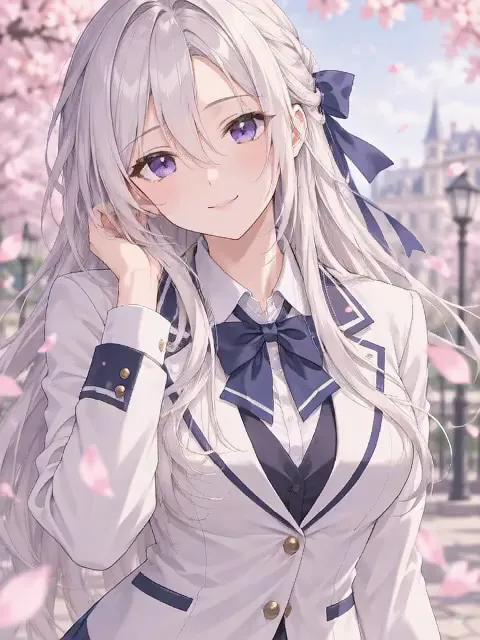 Still
MiniMax H315 credits
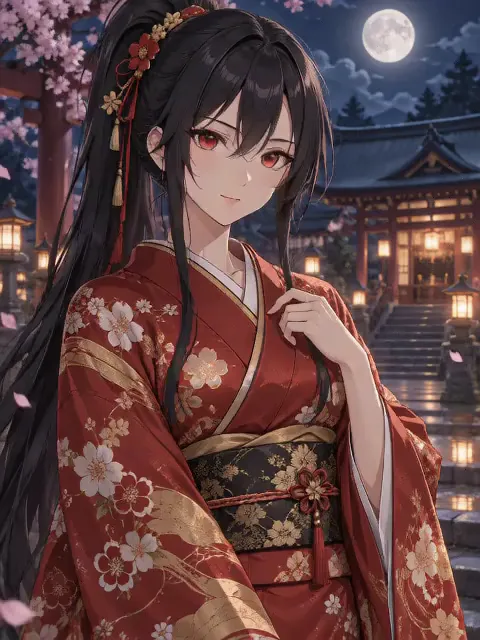 Still
MiniMax H315 credits
 MiniMax H3
How to make a Live 2D animation from an image
Upload a front-facing image
Use a clear portrait or illustration of one character facing the camera, with the face and upper body visible. Anime art, digital paintings, 3D renders and photos all work; a clean head-and-shoulders crop gives the model the most detail around the eyes and hair.
Add details if you like
The idle motion is built in: soft blinks, slow breathing, a calm micro-expression and a light sway of the hair. Extra details can set the mood, for example a shy little smile, hair swaying in a breeze or slow, sleepy blinks.
Generate and share
Out of the box, MiniMax H3 renders a five-second take at 480p for 15 credits. The button shows the exact credits before you start, and a failed render refunds them. Pick another model in the menu for a sharper or longer file.
What the Live 2D animation asks the model for
The built-in instructions describe the restrained idle motion of a Live2D model and list what must not change.
| What we ask for | Why it matters |
|---|---|
| Soft blinks, gentle breathing, a small micro-expression | The character feels alive without acting out a scene |
| Hair, bangs and loose clothing sway lightly | Small secondary motion gives the layered Live2D look |
| The original art style, line art, colors and shading | Drawn and anime characters stay 2D instead of turning realistic or 3D |
| Same face, hairstyle, outfit, accessories and design | The character is still exactly the one you drew or chose |
| Small, smooth motion that ends near the start pose, camera locked | The clip is calm, clean and easy to loop |
| No talking, no turning around, no walking | The mouth stays relaxed and the pose stays in place |
The motion is kept small on purpose: big moves are what make a face warp or an art style drift. For a portrait that only blinks, try the eye blink animation, and for a face that breaks into a smile, try the AI smile video.
Where a Live 2D clip fits
- Animated avatars. Turn a static profile picture into one that blinks and breathes.
- VTuber material. Make an idle clip of your character for a stream overlay, a starting-soon screen or a channel trailer.
- Character intros. Open a story, comic post or game devlog with your character coming to life.
- Fan art and OCs. Show off an original character or a drawing without redrawing it frame by frame.
- Social short videos. Share a calm, loopable character clip on TikTok, Reels or Shorts.
Want bigger movement or a full scene? Animate Photo turns any picture into a video from your own description.
Price, free tries and fair use
You can try it free once a day: without logging in you get one daily clip from the starter model, mute and stamped with our mark. Signing up hands you 30 credits for the first month, which is two full Live 2D clips, and drips in 5 more credits daily. Buy a plan or credit pack for clean files you can use in sponsored or brand posts.
Only animate your own photos and art, or ones you have permission to use. Leave other artists' characters, celebrities and strangers out unless you have the rights.
Live 2D animation FAQ
Is this a real Live2D model file?
No. You get a short video (MP4) that looks like a Live2D idle animation, not a rigged .moc3 model you can load into VTube Studio. It works well as an animated avatar, overlay clip or intro; for real-time face tracking you still need a rigged model.
Which image gives the best result?
A sharp, front-facing image of one character with the face and upper body visible and nothing covering the eyes. Strong side angles, tiny faces, several characters or busy crops give the model less to work with.
Will my art style or character design change?
The built-in instructions ask the model to keep the original art style, line art, colors and shading, and the same face, hairstyle, outfit, accessories and character design, with drawn characters staying 2D. Clean, high-resolution art helps the most. If one take drifts, generate again, and remember each run is charged.
Can I make it loop?
The motion is asked to stay small and end close to the starting pose. In our example clips the last frame comes back very close to the first, so they loop with only a soft jump. For a perfect loop, trim or crossfade the ends in your video editor.
Will the character talk or move a lot?
The instructions ask for no talking, no voice and softly closed lips, no turning around and no walking, only small idle motion and a locked camera. MiniMax H3 always adds its own sound, though, and in our tests it sometimes slipped in a soft hum or murmur and opened the mouth a little mid-clip, most of all on realistic photos. Use the clip muted, or pick a model without sound in the menu; if a take looks off, generate again, and remember each run is charged.
More ways to animate a photo
AI Smile Video
Upload a portrait and get a short video where a calm or serious face breaks into a warm, natural smile. Same face, hair, outfit and background. Try it free.
AI Tongue Out
Upload a clear selfie and get a short, playful tongue-out reaction clip with natural lip and jaw motion, a wink and a head tilt. Same face. Try it free.
Animate Photos with AI and Make Pictures Move
Animate a photo with AI: add natural motion, blinking, hair and camera movement to any picture, then download a short video. Free credits to try.
Image to Video AI
Turn any photo into a short AI video. Upload an image, describe the motion and pick a model, from Kling and Veo to Grok Imagine and Vidu. Start free with 30 credits.
One image, a character that breathes
Choose a front-facing portrait or illustration and watch it blink, breathe and come to life.