
One portrait · 5 s · Gentle, quick or slow blinks
Eye Blink Animation: Make Any Portrait Blink Naturally
Upload a front-facing photo with both eyes clearly visible, pick a gentle, quick or slow blink, and the AI turns it into a short video where the person blinks naturally. Everything else holds still: the same face, expression, eye position and background, with a steady frame. Use it as a living profile picture, a creator intro or a light social post.
Only animate your own photo or one you have permission to use.
Free video, one a day without an account · Seedance 1.0 Pro Fast · 480p · 5s
1 left today
Start from a template
See all templates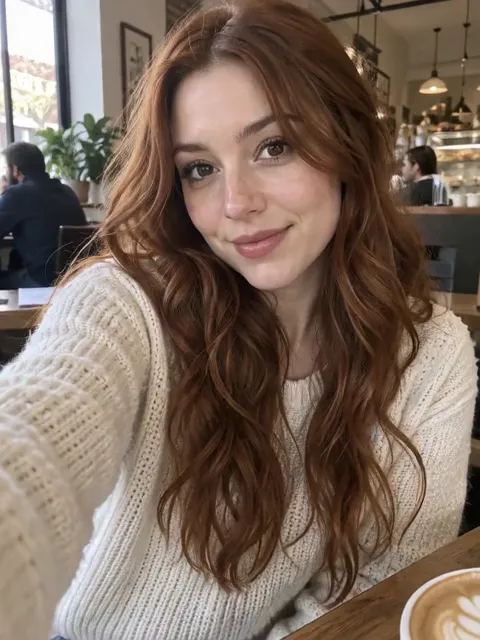 StillGentle BlinkUse template
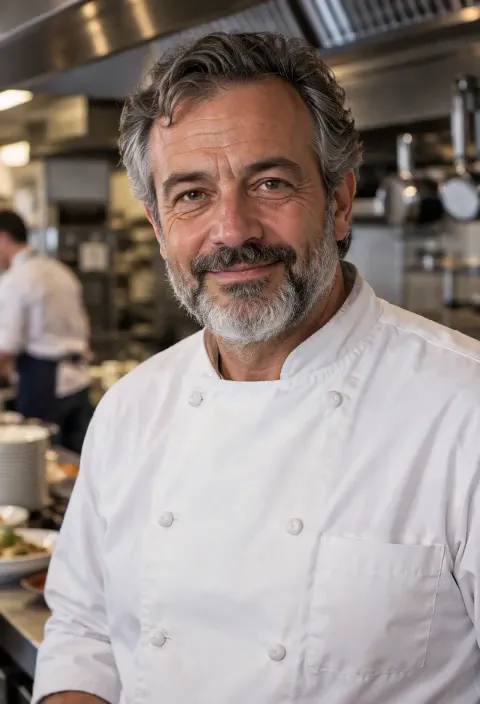 StillQuick BlinkUse template
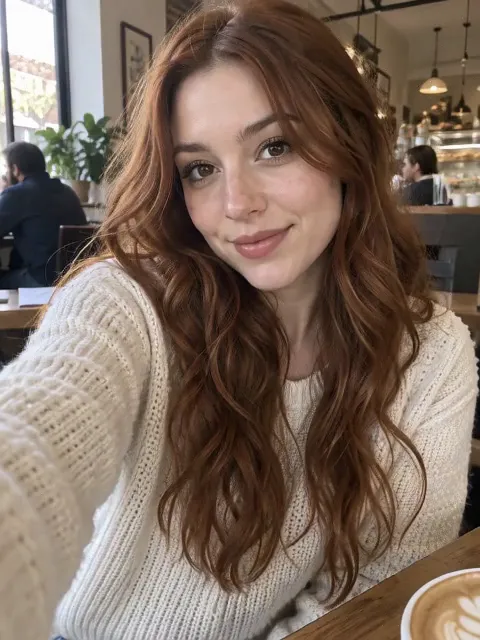 StillSlow BlinkUse template
- Still
MiniMax H315 credits
- Still
MiniMax H315 credits
- Still
MiniMax H315 credits
 MiniMax H3
How to make an eye blink animation
Upload a front-facing portrait
Use a sharp photo of one person looking toward the camera, both eyes open and not hidden by hair, glasses glare or shadows. A head-and-shoulders crop works best: the eyes are big enough in the frame for the eyelids to move cleanly.
Pick a blink style
The page starts on Gentle Blink: soft, unhurried blinks with a calm look. Switch to Quick Blink for a few fast, lively blinks, or Slow Blink for one long, dreamy close and open. Every style ends with the eyes open again. Extra details only change the light or the mood, such as soft window light or a gentle smile, not the blink itself.
Generate and share
Out of the box, MiniMax H3 renders a five-second take at 480p for 15 credits. The button shows the exact credits before you start, and a failed render refunds them. Pick another model in the menu for a sharper or longer file.
What the blink animation asks the model for
The built-in instructions spell out what usually goes wrong when a still face starts moving and ask for the opposite.
| What we ask for | Why it matters |
|---|---|
| Only the eyelids move, closing and opening smoothly | The blink looks natural instead of a jump cut between two frames |
| The eyes keep their shape, size, colour and position | No stretched, doubled or drifting eyes |
| Same face, features, expression and background | The person still looks exactly like the photo |
| No flicker, no jitter, camera locked | The frame stays calm, so the clip works as a looping avatar |
| Style | What happens |
|---|---|
| Gentle Blink | Soft, unhurried blinks with a calm, relaxed look |
| Quick Blink | A few fast, crisp blinks in a row, lively and alert |
| Slow Blink | One long, slow blink with a short moment eyes-closed |
The motion stays small on purpose: a blink is a subtle move, and keeping the head still is what keeps the eyes clean. For a portrait that moves more, with head bobs, a wink and a smile, try the face dance effect.
Where a blinking portrait fits
- Animated profile pictures. A subtle blink makes an avatar feel alive without turning it into a meme.
- Creator intros. Open a video or a stream with a portrait that blinks at the viewer.
- Light social posts. Share a quiet, looping portrait on Stories, Reels or TikTok.
- Old family photos. Give a front-facing portrait a gentle sign of life, for a memory post.
- Characters and illustrations. Front-facing drawn or 3D characters can blink too, as long as both eyes are clearly drawn.
Want a full scene instead of a small blink? Animate Photo turns any picture into a video from your own description.
Price, free tries and fair use
You can try it free once a day: without logging in you get one daily clip from the starter model, mute and stamped with our mark. Signing up hands you 30 credits for the first month, which is two full blink animations, and drips in 5 more credits daily. Buy a plan or credit pack for clean files you can use in sponsored or brand posts.
Only animate your own photos or ones you have permission to use. Leave celebrities and strangers out, and never use a blinking portrait to pass someone off as a live person.
Eye blink animation FAQ
Which photo gives the best blink?
A sharp, well-lit, front-facing photo of one person with both eyes open and clearly visible. Avoid sunglasses, heavy glare on glasses, hair over the eyes and strong side angles: the model needs to see both eyelids to move them cleanly.
Will the eyes get distorted?
The built-in instructions ask for eyes that keep their exact shape, size, colour and position and for eyelids that close and open in one continuous motion. Larger, sharper eyes in the photo help the most. If one take looks off, generate again, and remember each run is charged.
Does the rest of the photo move?
It shouldn't: the instructions keep the face, expression, hairstyle, outfit and background unchanged, with the mouth closed, a locked camera and no jitter. You may notice a barely visible breath, which keeps the portrait from looking frozen. On some photos the model still adds a small head tilt or mouth movement; if a take looks off, generate again, and remember each run is charged.
Which blink style should I choose?
Gentle Blink suits profile pictures and calm portraits, Quick Blink gives intros and reactions a bit of energy, and Slow Blink fits dreamy, cinematic or romantic posts. All three cost the same, so try another style if the first one doesn't feel right.
Can I use it as a looping avatar?
Yes. The clip is asked to end with the eyes open in the starting look, so it loops back to the first frame smoothly. Trim or loop it in your editor or the platform you post to.
More ways to animate a photo
Face Dance AI
Turn a selfie into a face dance: head bobs, eyebrow raises, a wink and a big smile on the beat, with sound. One photo, 5 seconds, made for memes. Try it free.
AI Smile Video
Upload a portrait and get a short video where a calm or serious face breaks into a warm, natural smile. Same face, hair, outfit and background. Try it free.
Animate Photos with AI and Make Pictures Move
Animate a photo with AI: add natural motion, blinking, hair and camera movement to any picture, then download a short video. Free credits to try.
Image to Video AI
Turn any photo into a short AI video. Upload an image, describe the motion and pick a model, from Kling and Veo to Grok Imagine and Vidu. Start free with 30 credits.
One portrait, one natural blink
Choose a front-facing photo, pick gentle, quick or slow, and watch it blink.