
Christmas 2026 · Elf dance · Santa visit
AI Christmas Video: Turn One Photo into a Holiday Clip
Make an AI Christmas video from a single photo: become a dancing elf in Santa's workshop, or get a surprise visit from Santa with a gift. Each clip is five seconds with festive sound, and you can check the credit price before anything is made.
Only upload photos of yourself or of people who agreed to be in a Christmas clip.
Free video, one a day without an account · Seedance 1.0 Pro Fast · 480p · 5s
1 left today
 Still
StillWan 3.030 credits
 Still
StillWan 3.030 credits
 Still
StillWan 3.030 credits
 Still
StillWan 3.030 credits
 Wan 3.0
Two Christmas Effects, One Photo Each
Both effects are presets. The scene, the motion and the sound are already written in, so you upload a picture of one person and press generate. The tool on this page starts with the elf dance.
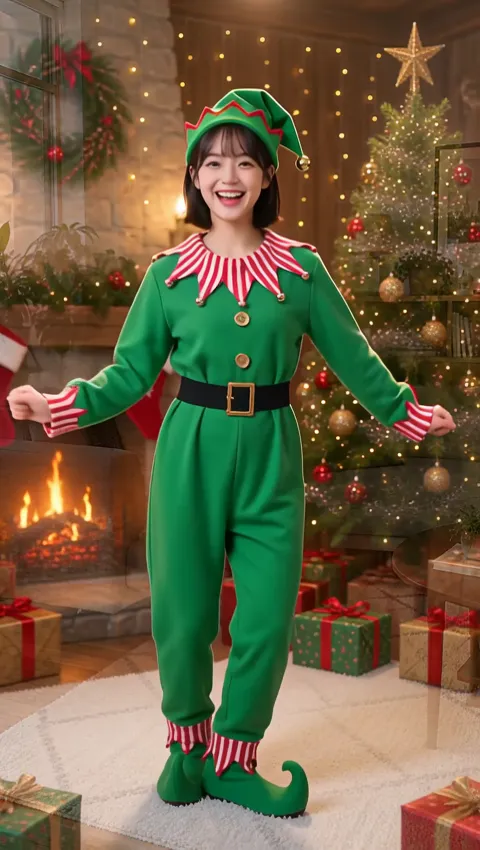
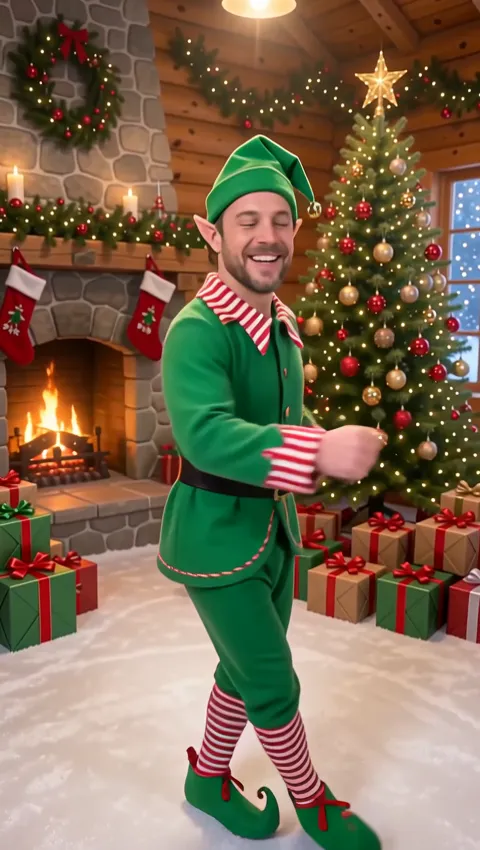
Elf dance: you, in costume, on the dance floor
Sparkles and snowflakes swirl, and the person's outfit turns into a green Christmas elf costume with a striped collar, a pointy hat with a bell and curly shoes. The room becomes a cozy workshop full of presents, and the new elf dances to a jingle-bell tune while smiling at the camera. The face stays recognizable throughout. Everything about this effect, from photo tips to the trademark question, is on the AI elf video page.
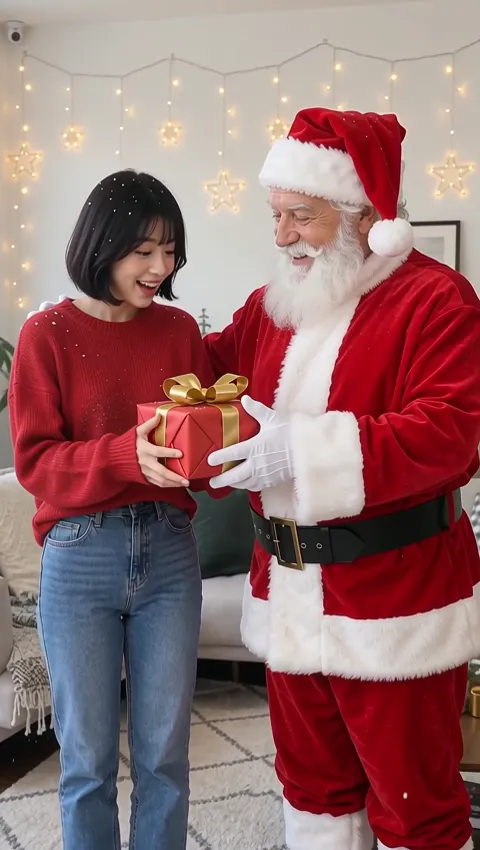
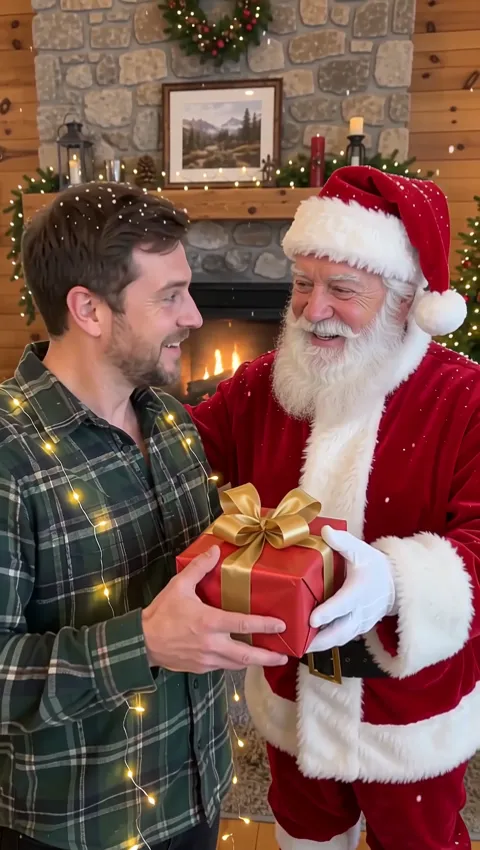
Santa visit: a guest in your own photo
Here nothing about the person changes. Snow starts to fall, fairy lights twinkle, and Santa Claus walks in beside them, waves, laughs and hands over a red present with a gold bow. The person reacts with a delighted smile, Santa gives a thumbs-up, and the original background stays as it was. To make this one, open the AI Santa video page, which has its own generator.
| Elf dance | Santa visit | |
|---|---|---|
| What changes | Outfit and background | Santa joins; background kept |
| Best photo | One person, full body | One person, some room beside them |
| Sound | Upbeat jingle-bell dance tune | Sleigh bells and Santa's laugh |
| Default model | Wan 3.0, 480p, 5 seconds | Wan 3.0, 480p, 5 seconds |
| Default cost | About 30 credits | About 30 credits |
How This Christmas Video Maker Works
Choose the effect
Stay here for the elf dance, or go to the Santa page for the visit. Either way, one photo of one person with a clearly visible face is what you need. For the elf, a full-body shot gives the costume and the dance the most room.
Upload, and add a detail if you want
Drop in a JPG, PNG or WebP. The details box is optional and holds up to 500 characters. The built-in effect always runs, so use it for a small touch like a wink at the end or a warmer light; extra objects or a new place may not appear.
Generate on Wan 3.0, or switch
Both effects start on Wan 3.0 in 480p, five seconds long and with audio, for about 30 credits. The model menu offers alternatives, and the button always displays the exact cost before you start. A generation that fails costs nothing, since its credits are refunded automatically.
Holiday Greetings Your Family Will Actually Watch
- A moving Christmas card. Turn a Christmas photo into a video and send it to relatives in place of a printed card, with your wishes in the message.
- One elf per family member. Make a clip from each person's photo and play them back to back at dinner. Kids usually ask for theirs to be played twice.
- Christmas morning surprise. A clip of Santa handing your child a present, filmed in your own living room, is a fun thing to show over breakfast.
- Countdown posts. Share one clip a day in the run-up to December 25, alternating between elves and Santa visits.
- Short-form video. For TikTok, Reels or Shorts, a vertical photo makes a vertical clip; keep the person near the center so captions don't hide the action.
Christmas isn't the only occasion: the same kind of single-person photo can also become an upbeat clip with the AI dance video generator.
Good Photos, and Whose Photos You Can Use
A few habits help both effects:
- Pick a sharp, well-lit photo where nothing covers the face.
- Keep it to one person; crop out everyone else first.
- For the elf, include the whole body if you can. For Santa, choose a background you like, since it stays in the clip.
- If a result feels off, try another photo before rewriting the details.
And a few ground rules:
- Stick to pictures of you, your kids, or friends and relatives who said yes.
- Famous people need their own consent too, so skip celebrity photos unless they agreed.
- When you post a clip publicly, say it was made with AI.
We never use uploaded photos for AI training; they go to the company running the video model for one reason, which is making your clip.
Christmas Video FAQ
What can Christmas AI do with my photo here?
It turns one photo of one person into a five-second holiday clip with sound. There are two effects: an elf dance, which puts the person in an elf costume in Santa's workshop, and a Santa visit, which brings Santa into the original photo with a present. Both run as presets, so no prompt writing is needed.
Can I make an AI Christmas video for free?
Yes, with limits. Visitors who don't sign up can create one clip per day at no cost; it is made by the Seedance 1.0 Pro Fast model at 480p, lasts five seconds, has no audio and carries a watermark. Registering gives you 30 credits once, usable for 30 days and good for roughly a single festive clip with audio on the default model, then 5 daily credits that top up what you hold.
Can I make Christmas pictures or cards as well?
Not yet. Both effects produce short videos, not still images, so there is no still-image generator or card template here at the moment. You can still send a clip as a digital card: download it and share it in a message, an email or a social post with your own greeting.
Which AI model makes the Christmas clips?
Wan 3.0 is the default for both effects, set to 480p and five seconds with audio. You can switch to another model in the menu, which changes the price and sometimes the sound; the lowest-cost choice, Seedance 1.0 Pro Fast, makes soundless drafts for 6 credits. The Wan AI video generator page explains what else Wan 3.0 can do, such as longer clips.
Can I write my own Christmas scene instead?
Yes. Open the image to video AI tool, add any holiday photo, pick whichever model suits you and describe the scene in your own words, for example the family by the fireplace as snow falls outside. The two presets are simply the quickest way to a festive clip.
How much does a Christmas clip cost on a plan?
About 30 credits per clip at the default setting, on any plan. Starter includes 500 credits a month, Pro 1,500 and Max 4,000, and credit packs are available if you only need a few clips for the holidays. Every tier is broken down under plans and credits.
More ways to animate a photo
Image to Video AI
Turn any photo into a short AI video. Upload an image, describe the motion and pick Kling, Veo, Hailuo, Seedance or Wan. Start free with 30 credits.
Animate Photos with AI and Make Pictures Move
Animate a photo with AI: add natural motion, blinking, hair and camera movement to any picture, then download a short video. Free credits to try.
AI Elf Video
Upload one photo and get a 5-second AI elf video: you in a green elf costume, dancing in Santa's workshop to a jingle-bell tune. See the credit cost first.
AI Santa Video
Turn one photo into a 5-second AI Santa video: snow falls, Santa steps in beside the person, laughs and hands over a gift. Your background stays as it is.
Make This Christmas Move
Choose a photo, start with the elf, and save the Santa visit for the person you most want to surprise. Your first AI Christmas video is one upload away.