
One photo · 5 or 10 s · Obviously fictional AI parody
AI Crying Video Generator: Turn Your Photo into a Dramatic Crying Meme
Upload a clear photo of yourself, and the AI acts out a short, over-the-top soap-opera moment: your eyes well up, big cartoonish tears roll down, you clutch your chest and look to the sky, then turn around and walk away. Your face, hairstyle and outfit stay as they are. It is a joke made by AI, not a real moment, and it should always be shared that way.
Only use your own photo, or one of an adult who agreed to it. Label the result as AI parody when you share it.
Free video, one a day without an account · Seedance 1.0 Pro Fast · 480p · 5s
1 left today
 Still
MiniMax H315 credits
 Still
MiniMax H315 credits
 Still
MiniMax H315 credits
 MiniMax H3
How to make an AI crying video
Upload your own photo
Use a sharp photo of one adult, ideally yourself, with the face fully visible. A friend's photo is fine only if they agreed to it. A waist-up or full-body shot gives the model more room for the dramatic turn and walk away.
Add details if you like
The scene is built in: welling eyes, streaming tears, a theatrical reaction and the exit. Extra details can change the setting or the mood, for example in the rain, on an empty train platform or in slow motion.
Generate, check and share as parody
MiniMax H3 renders a 480p clip with sound: 5 seconds for 15 credits or 10 seconds for 30. The 10-second take gives the tears, the reaction and the walk away more room. The button shows the exact credits before you start, and a failed render refunds them. When you post it, say it is an AI parody.
What the crying effect asks the model for
The built-in instructions describe a melodrama played for laughs and spell out what must stay fictional and what must not change.
| What we ask for | Why it matters |
|---|---|
| An obviously staged soap-opera scene, clearly AI parody | It reads as a comedy bit, not a real moment of distress |
| Eyes that glisten, trembling lips, then big cartoonish tears | The build-up is gradual, so the emotion lands instead of jumping |
| A dramatic hand-on-chest look to the sky | The punchline: the reaction is far bigger than any real cry |
| Turning around and walking away | The classic exit that ends the meme |
| Same face, skin tone, hairstyle, body shape and outfit | It is still clearly you in the clip |
| No talking or sobbing sounds, one person, no on-screen text | The mouth stays free of lip-sync and the frame stays clean |
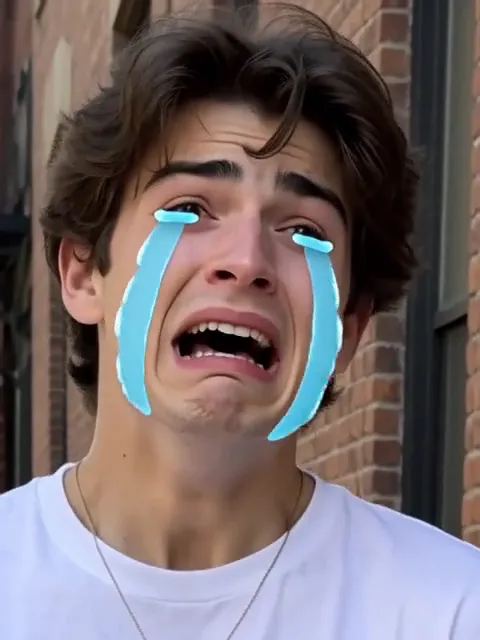
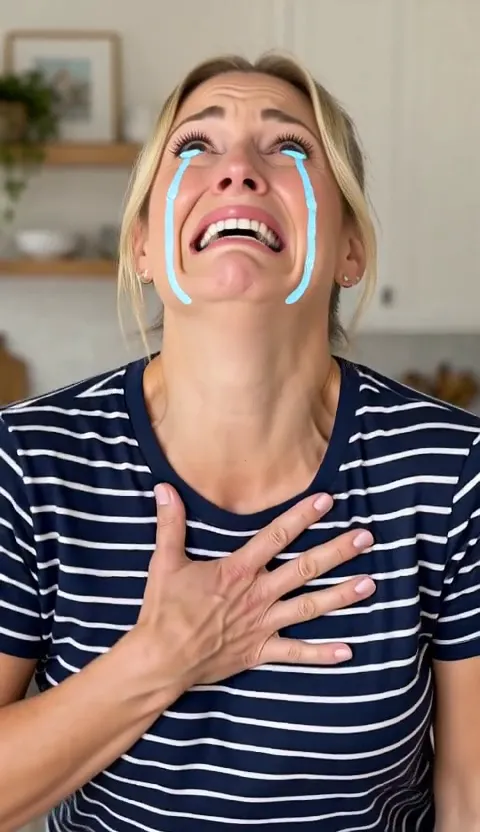
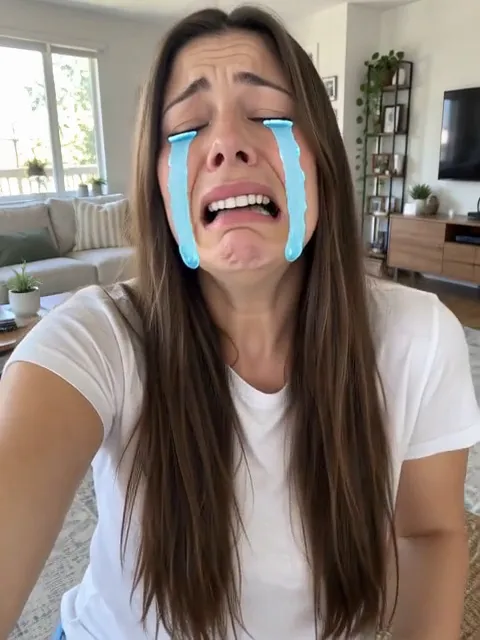
We tested it on three of our own fictional AI-generated people, one 5-second take each, and all three played the full sequence within five seconds: welling eyes, big cartoon-style tears, a hand pressed to the chest, a look to the sky, then turning around and walking away. The tears come out as bright, stylized streaks rather than realistic drops, which keeps it clearly a joke. Faces, hair and outfits held up well; in one take the camera cut in close for the tears instead of moving smoothly. Ten seconds gives each beat more room; if a take skips a beat or looks off, generate again. For another staged parody scene, try the AI Police Arrest Filter.
Where a crying meme fits
- Self-roasts. Post your own "when the coffee shop is out of oat milk" reaction.
- Group chats. Answer a friend's bad pun or a lost game with your own dramatic exit.
- Creator skits. Open a story time or a comedy short with an exaggerated breakdown.
- Celebration jokes. Mark a farewell or the last day of vacation with a mock-tragic goodbye, on your own photo.
Want a smaller face effect? AI Tongue Out adds a cheeky tongue and a wink to a portrait. Or describe any scene yourself with Animate Photo.
Price, free tries and fair use
You can try it free once a day: without logging in you get one daily clip from the starter model, mute and stamped with our mark. Signing up hands you 30 credits for the first month, which is two 5-second clips, and drips in 5 more credits daily. Buy a plan or credit pack for clean files without the mark.
This effect is for jokes only. Use your own photo, or one of an adult who agreed to it, and label the result as AI parody when you share it. Do not use it to mock, shame or harass anyone, to make it look like someone really broke down, or to fake a real event. Leave minors, strangers, celebrities and public figures out.
AI crying video generator FAQ
Is the crying in the video real?
No. The tears, the reaction and the walk away are all generated by AI from a single still photo, and the instructions keep it exaggerated and theatrical on purpose. Treat and share it as an AI parody, not as a real moment.
Can I use a photo of a friend or someone else?
Only if they are an adult and agreed to it. Do not upload minors, strangers, celebrities or public figures, and never use a clip to embarrass someone or to suggest something really happened to them.
Which photo gives the best result?
A sharp photo of one person with the face fully visible and good light. A waist-up or full-body shot helps with the turn and the walk away; tiny faces, sunglasses, heavy filters or group photos give the model less to work with.
Should I pick 5 or 10 seconds?
The scene has three beats: the tears, the dramatic reaction and the exit. Ten seconds gives each of them more room; five seconds is cheaper but may feel rushed or end before the walk away.
Will the clip make crying sounds or talk?
The instructions ask for no talking and no sobbing, but MiniMax H3 always adds a soundtrack, and in two of our three test takes it still added a loud, over-the-top wail to go with the crying face. Nobody says actual words. If you want a silent clip, mute it before you share it, or generate again, and remember each run is charged.
More ways to animate a photo
AI Police Arrest Filter
Upload your own photo and get a short, obviously fictional AI parody: police lights, two made-up officers, a funny face to camera and a ride in the back seat.
AI Tongue Out
Upload a clear selfie and get a short, playful tongue-out reaction clip with natural lip and jaw motion, a wink and a head tilt. Same face. Try it free.
Animate Photos with AI and Make Pictures Move
Animate a photo with AI: add natural motion, blinking, hair and camera movement to any picture, then download a short video. Free credits to try.
Image to Video AI
Turn any photo into a short AI video. Upload an image, describe the motion and pick a model, from Kling and Veo to Grok Imagine and Vidu. Start free with 30 credits.
One photo, one gloriously fake breakdown
Pick a clear photo of yourself and turn it into a melodrama your friends will know is a joke.