
Dance song template · 10 s with the trend's audio
King Nasir Dance AI: Do the Viral Dance from One Photo
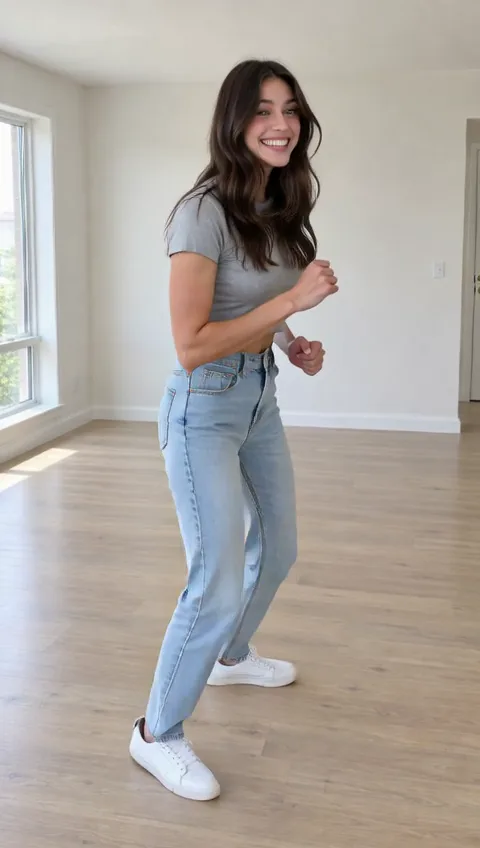
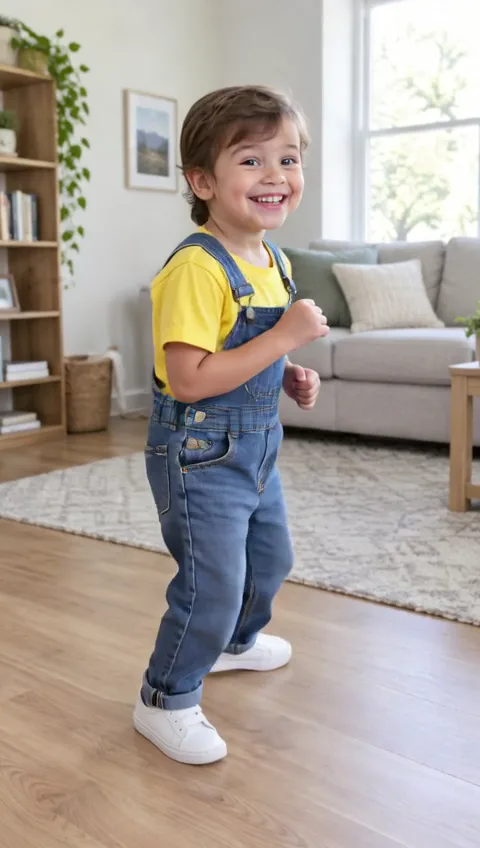
Drop in one full-body photo and whoever is in it does the King Nasir dance: the bouncing side-to-side sway, fists at the chest, the big laugh. The 10-second clip keeps the trend's original audio, so it's ready to post.
Copies the trend's original moves and keeps its song · 10s · 480p
Only use photos of yourself or of people who agreed to dance on video.
Sign in to use these settings, with 30 free credits · AI Dance Move v2 · 480p · 10s
 Still
StillAI Dance Move v240 credits
 Still
StillAI Dance Move v240 credits
 AI Dance Move v2
From photo to King Nasir clip in three steps
Choose a standing, full-body photo
The sway uses the whole body, from the bounce in the knees to the fists held at the chest. Pick a picture of one person standing, head to feet in view, with a little space around them. A plain wall behind them helps; a crowded room makes the edges harder to follow.
Skip the text box, or name the outfit
There's no choreography to write, because the moves are copied from a reference clip of the meme. The optional box only describes the dancer, such as "green tracksuit" or "school uniform"; it can't change the sway or the timing.
Generate, then post it as a reply
Each clip renders on AI Dance Move v2: 10 seconds, 480p, 40 credits, with the price on the button before anything is charged. A render that fails costs nothing: the 40 credits return to your balance.
Where the King Nasir dance comes from
In spring 2026 a short clip of fitness creator King Nasir was looped and re-edited by TikTok users until it turned into a dance of its own: bounce, sway left and right, fists up, laugh. It spread across TikTok and X as a meme, and the joke became putting someone unexpected into it, from a strict teacher to a grandparent to a cartoon mascot.
That's what this template is for. It is not affiliated with King Nasir; it takes the meme's moves from a dance clip and applies them to whoever is in your photo.
Ways people use the King Nasir meme
| Idea | Photo to use | Why it lands |
|---|---|---|
| Reply to a friend's post | Their most serious photo, with their OK | The contrast is the joke |
| Birthday message | A posed family photo | Everyone in the chat recognises the dance |
| Your mascot or OC | A drawing standing upright | It keeps its own art style |
| A "me after payday" post | A selfie mirror shot, full body | Fits the meme's mood |
Funny works best when the photo is calm and the dance isn't, so formal portraits, full-length office photos and graduation pictures tend to get the biggest reaction.
Photo checklist for the sway
- Feet in the frame. The bounce starts in the legs; a photo cut at the knees loses it.
- Arms not crossed. The fists come up to the chest, so the model needs to see the arms first.
- Vertical, if you have it. A tall photo fills a phone screen on TikTok and Reels.
Bored of the meme already? The AI dance video hub lists every other song, plus a generic dance you can restyle.
Keep the joke friendly
A meme is only funny when the person in it is laughing too. Start from your own picture or a friend's who's on board, check with parents before featuring kids, and skip celebrities and other public figures. Don't post a clip meant to embarrass someone. Your uploads never feed model training.
King Nasir dance FAQ
Is the King Nasir dance AI template free?
Making one needs a free account and 40 credits. The 30 credits you get at sign-up don't cover a full clip on their own, so people usually top up with a credit pack or a plan. Once the balance is there, free accounts can make it too, with a watermark on the video.
Does the video include the meme's audio?
Yes. The sound from the reference clip stays in your video, lined up with the moves. Platforms have their own rules about music and AI content, so check them before you post and switch on the AI-generated label if the app has one.
Can I change the moves or make it longer?
No. The sway, the 10-second length and the 480p resolution all come from the reference clip. You can describe the dancer's clothes, but not the routine. For motion you describe in your own words, the main generator turns any photo into video.
Can a cartoon character or a pet do it?
A drawn character or mascot standing upright, with arms and legs visible, can work and keeps its art style. Pets lying or sitting down give weak results, since there's no body in view for the dance to move. Only use characters you made or have permission to use.
More ways to animate a photo
Image to Video AI
Turn any photo into a short AI video. Upload an image, describe the motion and pick a model, from Kling and Veo to Grok Imagine and Vidu. Start free with 30 credits.
Animate Photos with AI and Make Pictures Move
Animate a photo with AI: add natural motion, blinking, hair and camera movement to any picture, then download a short video. Free credits to try.
Gnarly Dance AI
Make anyone do the Gnarly dance with AI. Upload one full-body photo and get a 10-second clip of the KATSEYE routine with the song, ready for TikTok.
Coco Chanel Dance AI
Make anyone do the Coco Chanel dance with AI. Upload one full-body photo and get a 10-second clip of the Tyla Chanel trend with the song, ready for TikTok.
Put someone in the King Nasir meme
Pick a full-body photo of a willing friend, check the price on the button, and send them the result.