
One portrait · 5 s · Warm or happy smile
AI Smile Video: Turn a Serious Portrait into a Warm Smile
Upload a photo of one person with a calm, neutral or serious expression, pick a warm or a happy smile, and the AI turns it into a short video where the face slowly softens into a natural smile, with a gentle squint of the eyes and a slight movement of the head. The person stays exactly who they are: same face, features, hairstyle, outfit and background. Use it for a friendlier profile picture, a story opener or a quick social clip.
Only animate your own photo or one you have permission to use.
Free video, one a day without an account · Seedance 1.0 Pro Fast · 480p · 5s
1 left today
Start from a template
See all templates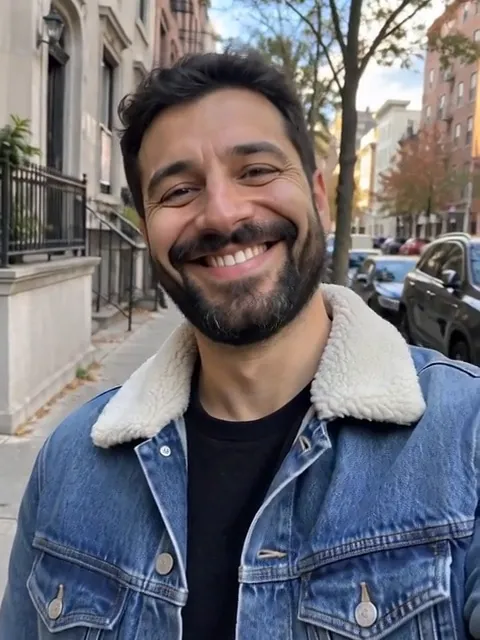 StillWarm SmileUse template
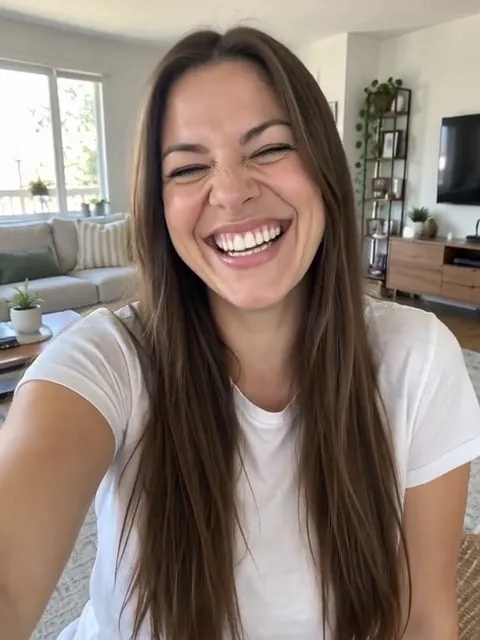 StillHappy SmileUse template
- Still
MiniMax H315 credits
- Still
MiniMax H315 credits
 MiniMax H3
How to make a smile video from a photo
Upload a clear portrait
Use a sharp, well-lit photo of one person facing the camera, with the whole face visible. A calm or neutral expression works best, because the change to a smile is what makes the clip. A head-and-shoulders crop gives the model enough detail around the mouth and eyes.
Pick a smile style
The page starts on Warm Smile: the calm face slowly breaks into a kind, friendly smile with a slight head tilt. Switch to Happy Smile for a bright, joyful open smile with a happy squint and a silent chuckle. In both, the expression changes gradually over the clip and the cheeks lift naturally. Extra details only set the light or the mood, such as golden hour light.
Generate and share
Out of the box, MiniMax H3 renders a five-second take at 480p for 15 credits. The button shows the exact credits before you start, and a failed render refunds them. Pick another model in the menu for a sharper or longer file.
What the smile video asks the model for
The built-in instructions spell out what usually goes wrong when a still face changes expression and ask for the opposite.
| What we ask for | Why it matters |
|---|---|
| A gradual, smooth change from calm to smiling | The smile grows naturally instead of snapping between two faces |
| Cheeks lift and the eyes narrow softly | The smile reads as genuine, not just a stretched mouth |
| No talking, no lip-sync, natural teeth and lips | The mouth smiles instead of moving as if the person were speaking |
| Same identity, features, hair, outfit and background | The person still looks exactly like the photo, with no face distortion |
| Only a slight head movement, camera locked | The frame stays calm and the face stays clean |
| Style | What happens |
|---|---|
| Warm Smile | A calm face slowly breaks into a kind, friendly smile, eyes crinkling, head tilting a little |
| Happy Smile | The face lights up into a bright, joyful open smile with a happy squint and a silent chuckle |
The motion stays small on purpose: the expression is the star, and keeping the head and camera steady is what keeps the face from warping. For a portrait that only blinks, with the expression unchanged, try the eye blink animation.
Where a smiling portrait fits
- Friendlier profile pictures. Turn a formal headshot into an avatar that smiles at the viewer.
- Story and Reel openers. Start a post with a face that warms up into a smile.
- Social short videos. Share a quick before-and-after expression clip on TikTok, Reels or Shorts.
- Old family photos. Give a serious vintage portrait a gentle smile for a memory post.
- Characters and illustrations. Front-facing drawn or 3D characters can smile too, as long as the face is clearly drawn.
Want a full scene instead of a change of expression? Animate Photo turns any picture into a video from your own description.
Price, free tries and fair use
You can try it free once a day: without logging in you get one daily clip from the starter model, mute and stamped with our mark. Signing up hands you 30 credits for the first month, which is two full smile videos, and drips in 5 more credits daily. Buy a plan or credit pack for clean files you can use in sponsored or brand posts.
Only animate your own photos or ones you have permission to use. Leave celebrities and strangers out, and never use a smiling portrait to put words or feelings into someone's mouth.
AI smile video FAQ
Which photo gives the best smile?
A sharp, well-lit, front-facing photo of one person with the whole face visible and a calm or neutral expression. Avoid hands, masks or hair covering the mouth, heavy shadows and strong side angles: the model needs to see the mouth, cheeks and eyes to change them cleanly.
Will the face still look like the same person?
The built-in instructions ask the model to keep the person's identity, face shape, features, eyes, hairstyle, outfit and background exactly the same and to avoid any face distortion. Sharper, larger faces in the photo help the most. If one take looks off, generate again, and remember each run is charged.
Which smile style should I choose?
Warm Smile suits profile pictures, team pages and calm portraits; Happy Smile gives stories and social clips more energy. In our test runs the warm style still ended on a full smile that showed the teeth, so it is not a closed-lip smile. Both cost the same, so try the other style if the first one doesn't feel right.
Will the person talk or move a lot?
It shouldn't: the instructions ask for no talking and no lip-sync, only a slight natural head movement and a locked camera. On some photos the model may still add a small head turn or mouth movement; if a take looks off, generate again, and remember each run is charged.
Does it work on old photos or drawings?
Yes, as long as the face is clear and front-facing. Scanned family photos, drawn characters and 3D portraits can all smile; very blurry, tiny or heavily damaged faces give the model less to work with.
More ways to animate a photo
Eye Blink Animation
Upload a front-facing portrait and get a short video where the eyes blink naturally. Same face, expression and background, no warped eyes or shaky frame. Try it free.
AI Face Animator
Upload a portrait and the AI face animator makes it blink, smile, turn its head slightly or laugh, with the same face, hair, outfit and background. Try it free.
Animate Photos with AI and Make Pictures Move
Animate a photo with AI: add natural motion, blinking, hair and camera movement to any picture, then download a short video. Free credits to try.
Image to Video AI
Turn any photo into a short AI video. Upload an image, describe the motion and pick a model, from Kling and Veo to Grok Imagine and Vidu. Start free with 30 credits.
One portrait, one warm smile
Choose a clear photo of a calm face, pick warm or happy, and watch it break into a natural smile.